> ## Documentation Index
> Fetch the complete documentation index at: https://help.sundevs.net/llms.txt
> Use this file to discover all available pages before exploring further.
# Admin Navigation
> The admin shell: drawer, header, notifications and footer.
 ## Drawer navigation
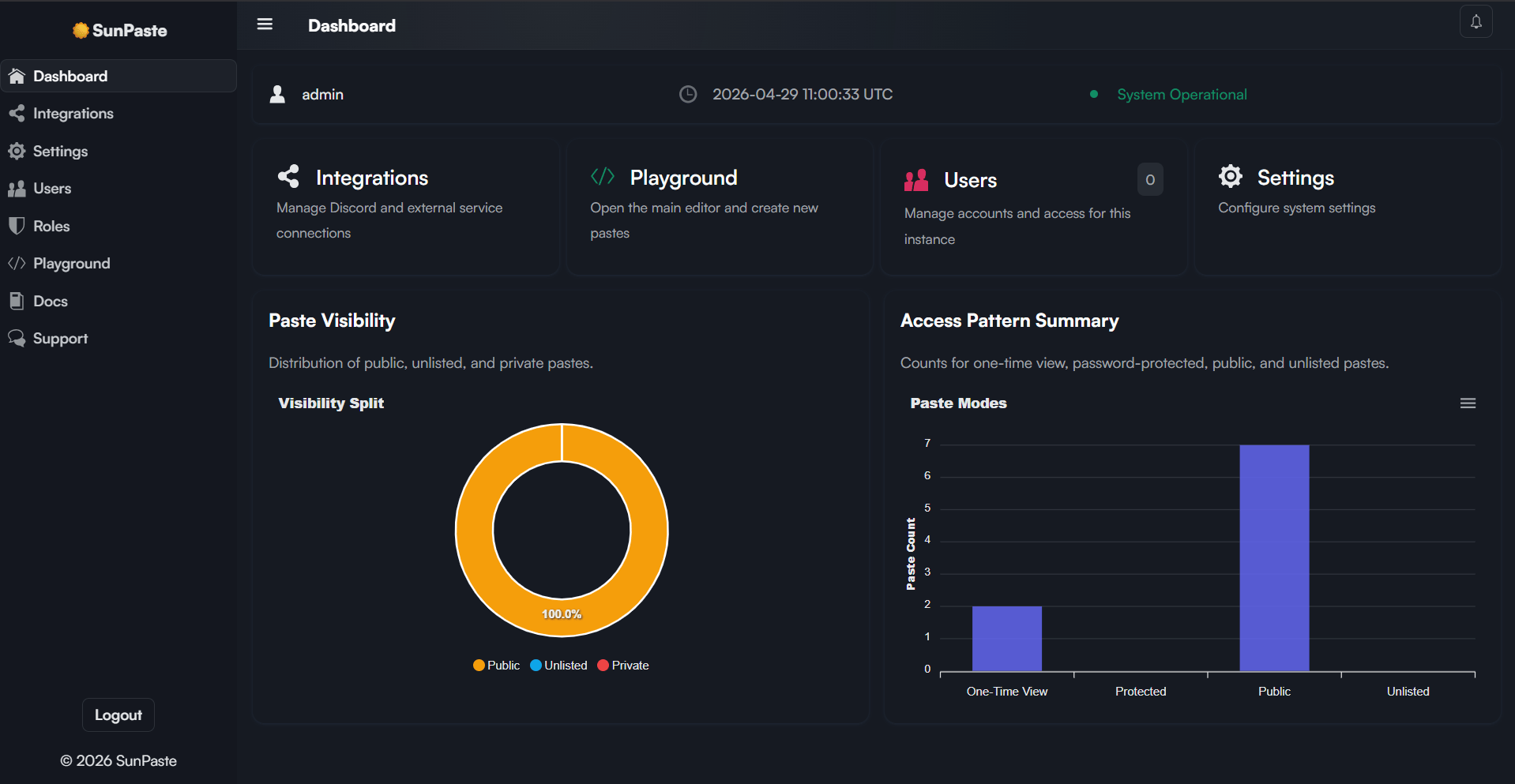
The left drawer includes the main page links plus some extra links.
* **Menu items:** `Dashboard`, `Integrations`, `Settings`
* **Admin-only items:** `Users`, `Roles`, `Playground`
* **External links:** `Docs`, `Support` ([dsc.gg/sundevs](https://dsc.gg/sundevs))
## Header
The header includes:
* A drawer toggle
* The current page title
* A notifications button
## Notifications popover
The notifications popover includes an `Unread` tab, an `All` tab, and a `Mark all read` button.
## Footer
The drawer footer shows a `Logout` button when you are authenticated, and a copyright line with the current site name.
## Related topics
- [Dashboard](/sunpaste/admin/dashboard.md)
- [The Dashboard](/sunlinks/dashboard/overview.md)
- [Settings](/sunpaste/admin/settings.md)
- [Login](/sunpaste/core-concepts/login-page.md)
- [User Management](/sunpaste/admin/user-management.md)
## Drawer navigation
The left drawer includes the main page links plus some extra links.
* **Menu items:** `Dashboard`, `Integrations`, `Settings`
* **Admin-only items:** `Users`, `Roles`, `Playground`
* **External links:** `Docs`, `Support` ([dsc.gg/sundevs](https://dsc.gg/sundevs))
## Header
The header includes:
* A drawer toggle
* The current page title
* A notifications button
## Notifications popover
The notifications popover includes an `Unread` tab, an `All` tab, and a `Mark all read` button.
## Footer
The drawer footer shows a `Logout` button when you are authenticated, and a copyright line with the current site name.
## Related topics
- [Dashboard](/sunpaste/admin/dashboard.md)
- [The Dashboard](/sunlinks/dashboard/overview.md)
- [Settings](/sunpaste/admin/settings.md)
- [Login](/sunpaste/core-concepts/login-page.md)
- [User Management](/sunpaste/admin/user-management.md)