

/view/{slug}/api/v1/paste/{slug}
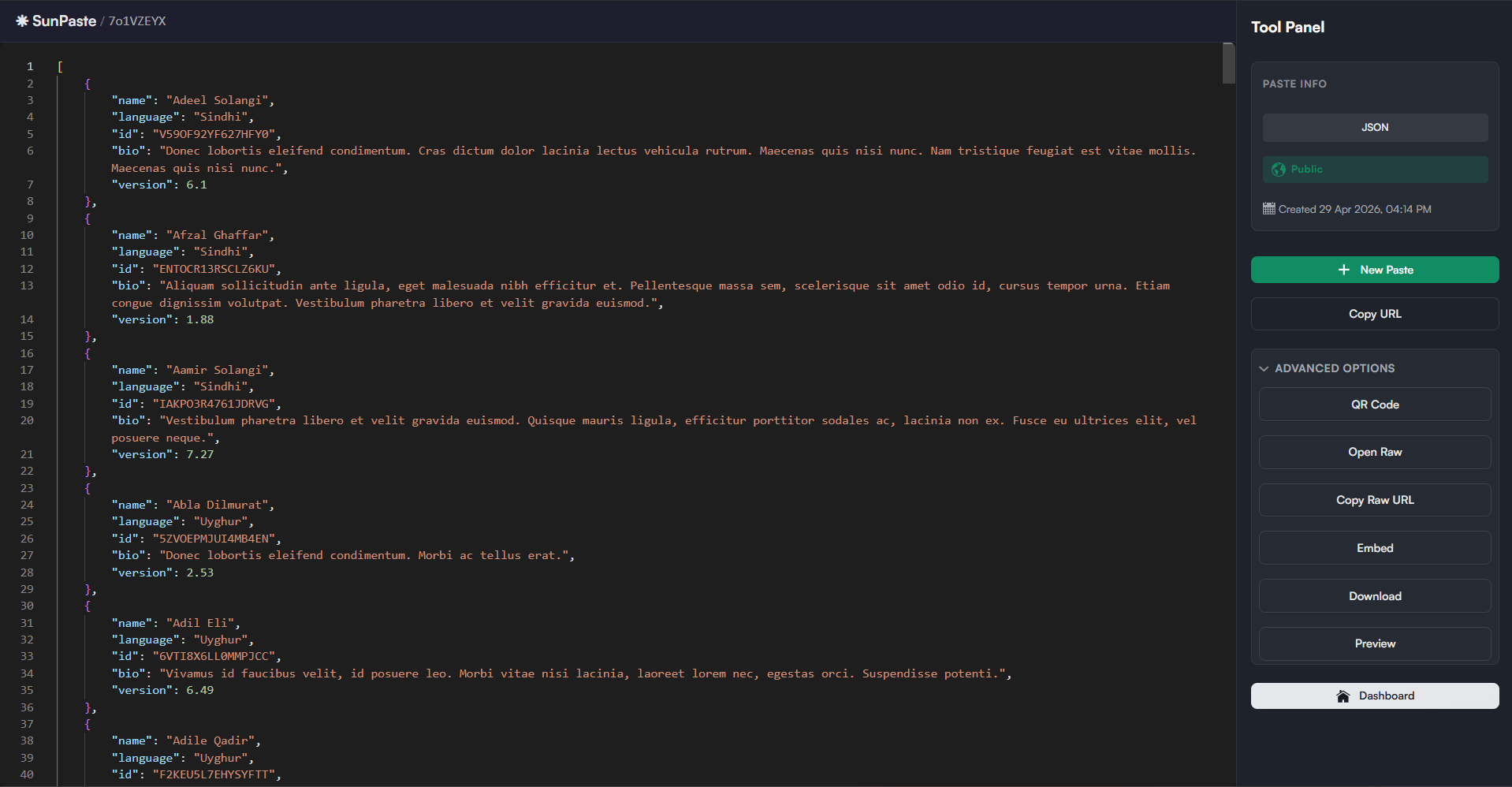
What you see
The viewer shows:- A header with a home link and the paste slug
- The pasted content in a read-only, syntax-highlighted editor
- A right-side tool panel
- Language
- Visibility
- Creation time
- Burn-after-read badge when enabled
- Live expiration countdown when the paste has an expiration time
Viewer actions
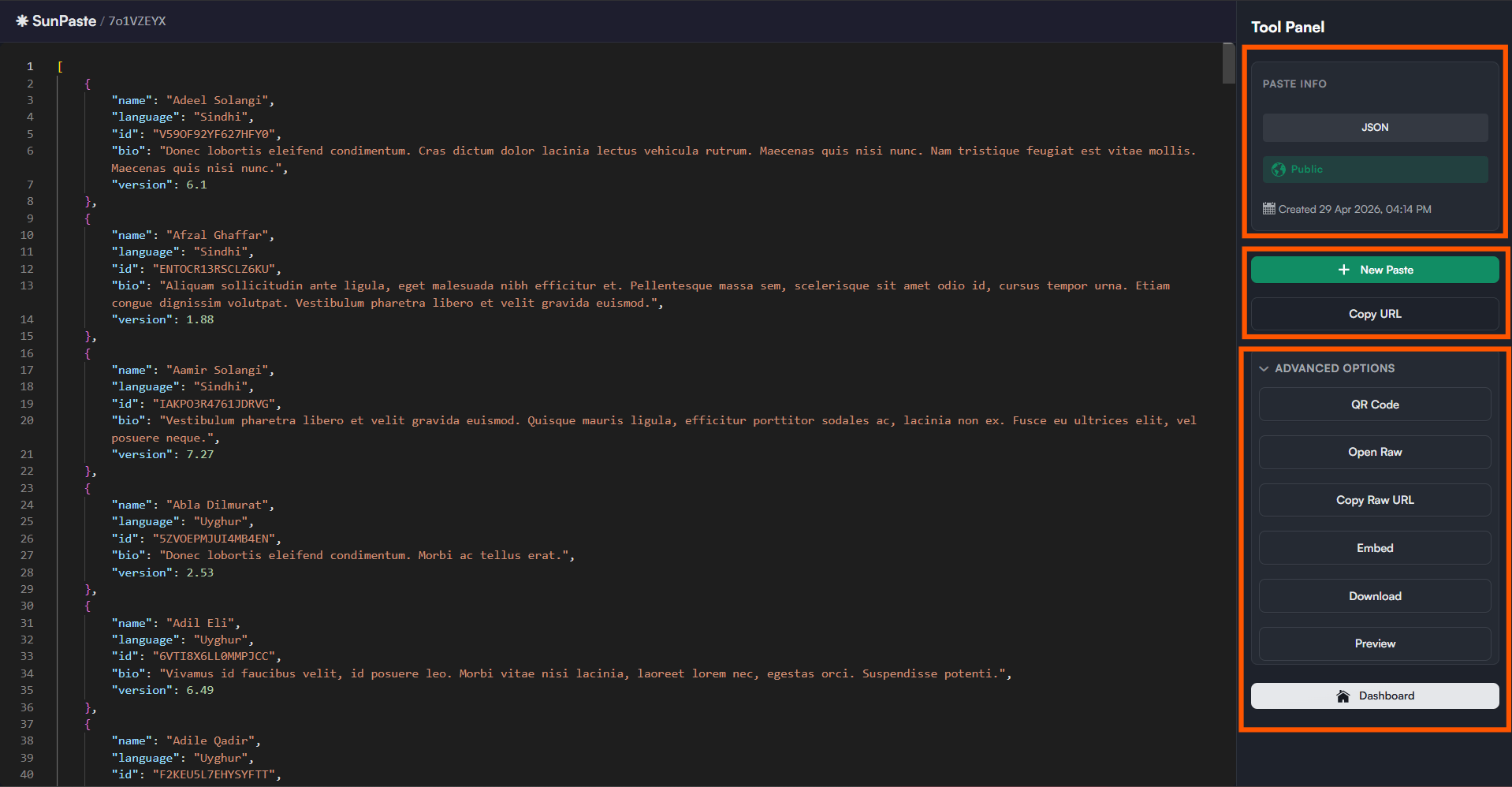
The tool panel includesNew Paste, Copy URL and Advanced Options. The buttons inside Advanced Options depend on the paste:
- Normal pastes:
QR Code,Open Raw,Copy Raw URL,Embed,Download,Preview - Password-protected pastes:
QR Code,Previewonly. Raw, embed, and download are deliberately hidden.
Dashboard.
Special viewer states
Password-protected paste
Password-protected paste
- You see a password card instead of the content
- Entering the correct password unlocks the paste
- Entering the wrong password shows an inline error
Burn-after-read paste
Burn-after-read paste
- You first see a warning page telling you the paste will be destroyed after opening
- Clicking
View & Destroy This Pastereveals the content and deletes it immediately afterward - Once the burn completes, a banner tells you the paste has already been destroyed
Expired paste
Expired paste
- The viewer shows an expired message
- The raw and API endpoints return
410 Gone
Private paste
Private paste
- The viewer shows a “Private Paste” message with
Log in to viewandCreate a new paste - Only the paste owner or an admin can open a private paste
Not found
Not found
If the slug does not exist, the viewer shows a “Paste Not Found” page.